
Supporting COSHH Awareness Through Document Acknowledgements
nicholas ponniah • March 26, 2026
When it comes to workplace safety in the UK, few regulations are as critical as COSHH (Control of Substances Hazardous to Health). From construction to healthcare, every employer has a legal duty to identify hazardous substances, assess their risks, and provide employees with the right information, instruction, and training.
For consultancies, helping clients achieve COSHH compliance isn’t just about legal protection - it’s about building a strong safety culture and credibility.
But here’s the challenge: policies alone don’t create awareness. Simply distributing a COSHH manual or toolbox talk doesn’t guarantee that employees will read, understand, and follow it. Without acknowledgement, there’s no real assurance - or record - that compliance obligations have been met.
This is where document acknowledgements in Hasmatic
become a game-changer for consultancies supporting their clients’ COSHH responsibilities.
Why COSHH Awareness Matters
According to the HSE, improper handling of hazardous substances remains a leading cause of occupational illness and injury. From chemical exposure to respiratory problems, the risks are real - and preventable.
Employers must not only provide COSHH information but also demonstrate that employees have received and understood it. Without proper documentation, businesses face:
- Increased health risks and workplace incidents
- Regulatory fines or enforcement action
- Loss of trust in safety management practices
For consultancies, helping clients achieve COSHH compliance isn’t just about legal protection - it’s about building a strong safety culture and credibility.
The Challenge: Knowledge Isn’t Action
Traditional approaches - like sending out PDFs or posting safety notices - often fall short. Employees may skim through or ignore them altogether.
And when an auditor asks, “Can you prove your staff acknowledged this COSHH policy?” many businesses are left scrambling for evidence.
This gap between policy distribution and employee confirmation is exactly where
Hasmatic’s document acknowledgement feature delivers value.
Meet Hasmatic’s Edge: Document Acknowledgement at Scale
With Hasmatic, consultancies can help clients go beyond policy distribution and ensure policy engagement.
The platform enables:
- Uploading COSHH documents
(such as policies, chemical risk assessments, or toolbox talks)
- Assigning them to employees
directly via mobile or desktop
- Capturing acknowledgements through digital sign-offs
This creates a clear, auditable record that employees have read and confirmed understanding of COSHH guidance.
Consultancy Benefits: From Risk Reduction to Client Trust
For consultancies, this simple yet powerful tool unlocks multiple benefits:
✅ Proof of Training & Awareness - Demonstrate that clients have delivered COSHH information to all employees.✅ Audit-Ready Records - Provide digital evidence during surprise inspections or external audits.✅ Time Savings - Replace manual tracking with automated acknowledgement logs.
✅ Increased Credibility - Show clients that you’re equipping them with compliance tools that make a tangible difference.
Simple Implementation: How It Works in 3 Steps
Getting started is straightforward:
- Upload a COSHH policy
into Hasmatic.
- Assign it
to employees or site teams.
- Track acknowledgements with digital records accessible at any time.
No extra systems. No complex setup. Just compliance made simple.
Legal Defensibility: Evidence When It Matters Most
Under COSHH, employers must not only provide training but also retain evidence
of it. In the event of an incident or audit, being able to produce acknowledgement records can make the difference between compliance confidence and regulatory penalties.
Document acknowledgements provide that extra layer of legal defensibility - turning intangible awareness into verifiable proof.
Make COSHH Compliance Easier for Your Clients
For UK health & safety consultancies, supporting clients with COSHH compliance doesn’t need to be complex. By leveraging Hasmatic’s document acknowledgement feature, you can strengthen awareness, improve safety culture, and ensure your clients are audit-ready — all while saving time and building trust.
👉 Learn more about Hasmatic’s document acknowledgement feature here and start helping your clients achieve measurable improvements in COSHH compliance.
#COSHHCompliance #HealthAndSafetyUK #WorkplaceSafetySoftware #EHSCompliance #SafetyConsultancy #DocumentAcknowledgement #Hasmatic

For health and safety consultancies, reliability and transparency matter. That’s why with Hasmatic , we don’t shy away from acknowledging an important limitation: it requires internet access to function. But here’s the good news - even without an offline mode, consultancies can stay productive, prepared, and compliant . With the right planning, you can ensure that low-connectivity sites or remote projects don’t slow you down. Why Transparency Matters in Safety Tech Many safety apps promote offline functionality, but it often comes at a cost—delayed syncing, duplicate data entry, or added complexity. Tools like SMS360 allow reports to queue offline and sync later, while others such as EHS Insight note that buffering offline data can cause version control headaches once connectivity is restored. Hasmatic takes a different approach: simplicity, clarity, and real-time efficiency . By requiring a live connection, Lite avoids data conflicts and ensures that your compliance workflows remain seamless once you’re online. Practical Work-Arounds That Keep You Productive Even without offline access, there are proven strategies that health and safety consultancies can use to minimise disruption: 1. Pre-Download Critical Documents Just as Google Drive allows offline syncing, consultancies can pre-download essential PDFs such as risk assessments, RAMS, or safety policies before heading to low-signal worksites. 2. Prepare Local Checklists in Advance If your team expects poor connectivity, create and save checklists or inspection forms locally. These can be filled in manually and then transferred to Hasmatic once back online. 3. Schedule Exports Ahead of Time Generate reports, logs, or CSV exports before travel. This ensures managers and stakeholders have access to the latest compliance records without waiting for real-time uploads. 4. Leverage Local File Syncing Tools Platforms like Dropbox, OneDrive, or Google Drive offer offline sync features. By storing documents locally, consultants can access critical safety information without relying on constant internet access. Realistic Use Cases for Remote Teams Here’s how consultancies can structure their workflows when facing patchy connectivity: Pre-trip preparation → Download RAMS, policies, and forms before heading out. Tablet-based access → Use Hasmatic’s multi-device functionality to ensure materials are ready at your fingertips. Batch uploads → Collect data in the field and upload incident reports, inspections, or hazard logs once back online. This mirrors how many modern safety teams already operate—planning ahead, documenting offline, and syncing later. Why Hasmatic Still Works for Remote Consultancies For UK consultancies managing multiple sites, the key isn’t just offline access - it’s predictable, consistent workflows. With Hasmatic, you gain: Multi-device access (mobile, tablet, desktop) for flexible use. Streamlined compliance workflows that reduce complexity. Transparent expectations , so your teams know exactly how to prepare. And when connectivity is restored, Hasmatic ensures everything is instantly synced, keeping compliance records accurate and audit-ready. Final Thoughts Yes, Hasmatic requires internet access. But by acknowledging this upfront, we help consultancies prepare smarter - not harder. With a few strategic adjustments, remote teams can continue tracking incidents, managing compliance, and staying on top of health and safety without missing a beat. Looking for a practical, straightforward compliance tool for consultancies ? 👉 Discover Hasmatic here #HealthAndSafetySoftware #EHSSoftwareUK #MobileSafetyInspectionApp #WorkplaceSafetySoftware #HSECompliance #ConstructionSafetySoftware #SafetyManagementSystem

In health and safety consulting, visibility builds trust. Clients want proof that their safety programmes are making progress - not just numbers hidden in spreadsheets. That’s where Hasmatic’s static dashboards come in. Even without real-time data streaming, static dashboards provide consultants with a powerful, visual way to showcase results, identify trends, and communicate value clearly. Why Static Dashboards Matter in Consulting When it comes to safety management, visuals speak louder than data tables. Static dashboards in Hasmatic transform compliance metrics into simple, digestible snapshots: Visual clarity - Track incident counts, form compliance, overdue inspections, and training completion at a glance. Trend spotting - Even static charts make it easy to notice progress or recurring problem areas. Client communication - Screenshots or exports can be dropped into reports, board packs, or slideshows, making safety progress tangible. 👉 According to SiteConnect , dashboards help safety leaders quickly understand performance without trawling through spreadsheets. Turning Static into Strategic It’s easy to dismiss “static” as limited, but in reality, static dashboards still deliver huge value for health and safety consultants: Summarise key metrics visually - No need for dense Excel reports. Reusable in client reports - Export or screenshot once, reuse for monthly or quarterly updates. Annotatable and explainable - Add your expert commentary: “Overdue inspections are down 30% quarter-on-quarter—this builds confidence that safety initiatives are working.” The takeaway? Static doesn’t mean less impactful. It means clear, focused storytelling for your clients. How Consultants Can Use Lite’s Dashboards Step-by-Step Open your dashboard in Hasmatic. Highlight key widgets - e.g., overdue inspections, compliance rates, incident trends. Take a screenshot or export to PDF/CSV (Hasmatic offers both options). Insert into your client report or presentation. Add commentary - Explain what the data shows and how it supports ongoing improvements. 👉 Explore Hasmatic’s Static Dashboards and Scheduled Reports to streamline your workflow. Why Clients Appreciate It For consultancies, safety dashboards aren’t just visuals - they’re relationship tools . By embedding dashboards into reports, you: Build transparency - Clients see exactly what’s happening on the ground. Stay audit-ready - Dashboards double as evidence during inspections or surprise audits. Reinforce expertise - Your commentary turns raw data into actionable insights. In short, you’re not just reporting - you’re making safety visible. The Consultant’s Advantage Hasmatic was designed with health and safety consultancies in mind. By using its dashboards effectively, you can: Demonstrate value consistently. Save hours on data formatting. Deliver reports that clients actually want to read. And the best part? It doesn’t require advanced tools - just clarity, consistency, and your expert eye. ✅ Ready to make safety visible for your clients? Discover how Hasmatic’s dashboards and reporting tools can help you strengthen relationships and simplify compliance: Explore Hasmatic. #HealthAndSafety #EHS #ComplianceSoftware #SafetyManagement #Hasmatic #HSEConsulting #DashboardReporting

In health and safety consultancy work, one of the simplest yet most powerful tools for demonstrating value to clients is a competency matrix . It’s not flashy, it’s not overly technical - but when built and maintained well, it becomes a clear window into your team’s strengths, skill gaps, and readiness for new challenges. And here’s the best part: you don’t need advanced automation or expensive systems to make it work. With Hasmatic and a bit of manual input, you can create a professional, compliance-friendly matrix that keeps you - and your clients - on top of capability planning. What is a Competency Matrix (and Why It Matters in H&S)? A competency matrix is essentially a grid that maps team members against required skills, showing their proficiency in each. In the context of health & safety, this isn’t just “nice to have” - it’s a compliance safeguard. With the right matrix, you can track: Skill gaps and training needs Role readiness for promotions or increased responsibilities Succession planning for when key staff are absent or move on Regulatory compliance by ensuring each role has the necessary certified skills In regulated sectors like ours, a competency matrix doubles as both a risk management tool and a strategic asset. Why Manual Input Still Works (and Often Works Best) In a world obsessed with automation, there’s something refreshingly effective about manual input - especially when paired with a platform like Hasmatic . Here’s why it works: Clarity over complexity - Manual entry forces you to think about the actual skills and levels rather than letting software make assumptions. Structured gap analysis - You can quickly spot missing competencies and plan targeted training. Cost efficiency - No need for high-overhead solutions. You can create, update, and share matrices without additional software spend. With Static Dashboards and Reporting , Hasmatic transforms those manually-entered records into polished visuals - ideal for client presentations or internal reviews. How to Build Your Competency Matrix (Step-by-Step) You don’t need fancy software to get started. A simple table or spreadsheet works: List your team members in the first column. Add required competencies for each role across the top (e.g., “Risk Assessment,” “Incident Investigation,” “Emergency Response”). Rate proficiency levels - keep it simple (Beginner, Competent, Advanced, Expert). Review quarterly to keep it accurate. Involve the team - self-assessment combined with manager input often yields the most realistic picture. Pro Tip : In Hasmatic, upload your matrix to the Document Repository so it’s version-controlled, searchable, and ready to share. The Value of Visuals for Clients Numbers and tables are useful - but visuals win in meetings. A well-presented matrix can: Highlight team strengths to build client confidence Show training progress over time Demonstrate backup readiness during absences Support audit evidence with visual proof of capability tracking With Hasmatic, you can snapshot your matrix into a dashboard or export it as a PDF report for instant, professional sharing. Best Practices & Common Pitfalls Do: Be specific - “Can conduct COSHH assessments” is better than “Understands chemical safety.” Update regularly - an outdated matrix can be more damaging than none at all. Align competencies with role requirements and regulatory standards. Avoid: Using vague or overly broad criteria. Letting it become a “tick-box exercise” with no real follow-up. Forgetting to review after significant role changes or training completions. Making It Count with Hasmatic A competency matrix isn’t just an internal HR tool - it’s a client-facing value driver . When you can clearly demonstrate that your team is qualified, capable, and improving, you reinforce trust and justify consultancy value. By pairing a simple manual-input workflow with Hasmatic’s Static Dashboards, Reporting , and Document Repository, you can: Keep your matrix up-to-date without overcomplicating the process Present it in a polished, visual way to clients and auditors Track development progress over time without additional overhead Sometimes, the simplest tools - used consistently - deliver the most impact. #HealthAndSafety | #CompetencyMatrix | #Hasmatic | #ConsultancyTools | #ComplianceManagement | #SkillTracking | #SafetyCulture

For health and safety consultancies, juggling multiple client sites is a daily reality. You might be delivering toolbox talks in the morning, inspecting equipment in the afternoon, and reviewing incident reports before the day ends - all in different locations. The challenge? Keeping compliance consistent and accessible across every site you manage. That’s where cloud-based access changes the game. One Login, Every Site Covered Hasmatic’s cloud-based platform means you can log in from any device - mobile, tablet, or desktop - and instantly access the compliance tools you need. Whether you’re on a construction site in Manchester or in a healthcare facility in Bristol, the same up-to-date safety forms, inspection records, and policies are right at your fingertips. Centralised Compliance, No Matter Where You Are Instead of juggling paper forms or tracking endless email chains, consultants can: Create, view, and sign safety forms on-site with clients. Access health & safety policies and toolbox talks from a shared library. Upload and acknowledge safety documents without waiting to get back to the office. With everything stored in one central document repository , there’s no risk of losing vital compliance records between sites. Multi-Device Access = Faster Response Times Let’s face it - when a near-miss or safety incident happens, speed matters. With Hasmatic, you can submit incident reports on-site using your phone, attach photos, and record follow-ups in minutes. No need to carry paper forms or wait for the next scheduled visit. Why Consultancies Love It Cloud-based access is more than convenience - it’s a client-winning tool. When you can: Show real-time compliance progress during site visits. Provide instant document sign-off while still on-site. Keep all client sites aligned with the same safety processes... ...you’re not just meeting compliance requirements - you’re demonstrating value. And in consultancy, value wins repeat business. Make Multi-Site Compliance Effortless Hasmatic is designed to give health and safety consultancies the flexibility they need without unnecessary complexity. You get secure, role-based access for your team and clients, clear audit trails for every form, and mobile-friendly features built for busy professionals on the move. 📌 Ready to see how Hasmatic can simplify multi-site compliance for your consultancy? Discover Hasmatic Today - and keep compliance consistent, no matter where your work takes you. #HealthAndSafetySoftwareUK #EHSComplianceUK #SafetyManagementSystem #WorkplaceSafetySoftware #HSEComplianceUK #ConstructionSafetySoftwareUK #ISO45001Compliance

If you run a health & safety consultancy, you know the golden rule: clients hate surprises - unless it’s a birthday cake. The best way to keep them happy (and loyal) is by keeping them in the loop without making them chase you for updates. That’s where scheduled exports in Hasmatic come into play. Think of them as your consultancy’s “always-on” reporting assistant - quietly packaging up incident logs, inspection results, and compliance progress so your clients get them like clockwork. Here’s how UK consultants are using scheduled exports to keep clients informed and impressed . 1. Turning Routine Reports Into a Marketing Asset A quarterly PDF of safety inspections isn’t just compliance - it’s proof your consultancy is delivering value . By scheduling exports of form completions, incident close-outs, and overdue actions, you create a steady flow of “evidence” your client can take to their board, auditors, or insurance providers. Pro Tip: Add a brief consultant’s note before sending - highlight a key improvement (“Incident reports are down 20% this quarter”) and the next safety target. It positions you as an ongoing partner, not a one-off problem-solver. 2. Reducing Client Anxiety During Audits When a surprise HSE inspection or ISO 45001 audit is announced, panic often follows. But consultants who’ve been sending scheduled inspection and incident summaries make these moments easy. Why? Because the client already has neatly packaged, time-stamped evidence - no last-minute data scrambles. You become the calm in their compliance storm. Bonus: This can be a key differentiator when pitching to new clients: “Our clients are always audit-ready because we keep them consistently updated.” 3. Strengthening Retainer Agreements Consultants using scheduled exports often find it easier to justify ongoing contracts. Why? Because the client sees the work you’re doing - month after month. The transparency builds trust, and the regular touchpoints give you a natural opening to suggest training, refresher courses, or additional safety reviews. ✅ Wrap-Up Hasmatic’s scheduled export feature isn’t just an admin shortcut - it’s a relationship-building tool. It helps you show your value, reduce client stress, and open doors for more business. And the best part? Once it’s set up, it runs in the background, making you look on-the-ball without spending extra hours on admin. #HealthAndSafetyConsulting #EHSUK #SafetyManagementSystem #WorkplaceCompliance #AuditReady #HSEUK #Hasmatic

When it comes to health and safety consultancy, delivering value isn’t just about ticking compliance boxes - it’s about showing your clients why your services matter. And in a crowded market, the consultants who win are the ones who can prove it. That’s where Hasmatic’s audit trail feature steps in. Whether you're helping SMEs meet ISO 45001 requirements or guiding construction firms through UK HSE audits, audit logs offer more than back-office records. They become a powerful trust-building tool - proof that every safety step, signature, and form was completed properly and on time. What Is an Audit Trail, and Why Should Consultants Care? An audit trail is a chronological record of form submissions, changes, and user actions . In Hasmatic, each form submitted or edited is logged under an admin account, creating a traceable pathway of activity. For consultants, that’s more than just compliance - it’s your proof of diligence . ✅ Transparency : Show clients what’s been done, when, and by whom. ✅ Accountability : If there’s a gap or issue, you’ve got the record. ✅ Trust : Clients can feel confident that nothing is missed or fudged. ✅ Efficiency : Identify missed signatures or late submissions fast. "Audit trails offer a clear picture of who’s engaging with safety documentation - something clients appreciate more and more, especially during surprise inspections or legal inquiries." - Nicholas, Hasmatic Use Case: Helping a Client Prove Due Diligence in an Audit Let’s say you’ve deployed a set of toolbox talks across your client’s sites. Weeks later, a surprise HSE inspection hits. Instead of scrambling through binders and spreadsheets, you: Pull up the Hasmatic dashboard. Show that all team members signed the policy on time. Demonstrate that late signatures were followed up (and logged). The inspector leaves satisfied. Your client breathes easy. You’ve just proven your value - with a few clicks. 3 Ways Consultants Can Use Audit Trails to Stand Out Include Audit Logs in Monthly Reports Want to prove ROI? Add a section in your client reports showing completed forms, incident reports, or toolbox talk acknowledgments - backed by timestamps. Highlight Process Transparency in Proposals Use audit trail capabilities as a selling point: “Every form, every change, every signature - recorded and retrievable.” Stay Ahead of Client Questions When clients ask, “Who completed this inspection?” - you don’t guess. You show them. That’s trust. Why Hasmatic Gets It Right Some platforms treat audit trails like a hidden feature. Hasmatic makes them accessible and easy for consultancies managing multiple clients. Whether you’re onboarding a construction team or supporting healthcare compliance, the platform: Logs every form submission/edit by admin account. Keeps audit logs centralized and retrievable. Helps you maintain a clear, compliant digital trail without fuss. Explore the full Hasmatic features here Or learn more about form submission logging and safety document workflows The Bottom Line Consultants don’t just deliver compliance - they deliver confidence. And nothing proves that better than a clear, simple audit trail. With Hasmatic, your client can see the full story. And you? You get to be the consultant they never want to let go. #HealthAndSafetyConsultancy #HSEComplianceUK #AuditTrailSoftware #EHSManagementUK #ConstructionSafetySoftware #SafetyConsultingTools #ComplianceTracking

When you’re running a safety consultancy, onboarding new workers with the right health and safety information is non-negotiable. But let’s face it: not every business has the time - or the budget - for complex induction platforms. Especially for small to mid-sized clients, the overhead of setting up full learning systems or standalone induction software can feel more burdensome than helpful. That’s where Hasmatic comes in. Even though the Lite version doesn’t include a dedicated induction module, it provides all the tools you need to deliver and track meaningful inductions for your clients - without the bloat. Let’s break down how. Why Inductions Matter More Than Ever The UK’s Health and Safety at Work Act and ISO 45001 standards emphasize that every worker must be properly inducted before starting a job - especially in construction, manufacturing, logistics, or healthcare environments. An effective induction: Educates workers on job-specific hazards Establishes emergency procedures Introduces PPE requirements Builds a proactive safety culture from day one So how do you help clients tick these boxes with minimal tech setup? A Smarter Workaround: Use What You Already Have in Hasmatic Hasmatic includes several underused features that safety consultants can cleverly repurpose as induction tools: 📄 Upload Induction Content as Policies or Toolbox Talks Instead of building a new module from scratch, simply upload your induction material (PDFs, slides, checklists, etc.) into the Health & Safety Policy Library or Toolbox Talks section . These areas are already designed for education and compliance - perfect for hosting content like: New starter briefings Site-specific hazard training Company safety procedures ✍️ Use Acknowledgement Tracking for Proof of Completion Once uploaded, assign the document to workers or supervisors and require them to acknowledge it using Hasmatic’s built-in feature. This creates a timestamped audit trail showing exactly when someone read and confirmed the induction materials. This approach makes your induction legally defensible - and effortless to manage. 📁 Centralised Document Repository for Always-On Access The Document Repository acts as a secure, cloud-based library where all signed policies and forms are stored. Need to show proof during an audit or HSE inspection? It’s all there - on desktop, mobile, or tablet. Benefits for Consultancies ✅ Streamlined Setup - Avoid configuring a separate induction platform. ✅ Scalable Across Clients - Duplicate your induction packs and apply across multiple sites or teams. ✅ Fully Trackable - Admins can quickly view who’s signed what, and when. ✅ Cost-Efficient - No need for extra induction software or LMS plugins. ✅ Client-Friendly - Ideal for SME clients who need compliance without complexity. Pro Tips for Rolling Out Inductions with Hasmatic 🔸 Keep It Concise : Break content into bite-sized modules using separate policy uploads. 🔸 Set Review Dates : Use Hasmatic’s review reminder feature to ensure material stays current. 🔸 Mobile First : Encourage clients to use tablets or phones for new worker sign-offs in the field. 🔸 Bundle with Toolbox Talks : Combine your induction material with ongoing safety talks for added value. 🔸 Export Reports : Generate acknowledgment logs via Hasmatic’s PDF or CSV reports for client documentation. Conclusion: Inductions Without the Overhead You don’t need complicated software to deliver high-quality inductions. With Hasmatic, health and safety consultants can set up and track effective onboarding workflows - using features already available in the platform. It's not about doing more. It’s about doing smart. Need help configuring your client’s induction process in Hasmatic? Explore our Document Management features or contact our onboarding team to get started. #SafetyInductionUK #EHSConsultancyTools #Hasmatic #HSEComplianceUK #HealthAndSafetySoftware #InductionWorkarounds #SafetyManagementForConsultants

For health and safety consultants, time is precious—and clarity is everything. Whether you're working with SMEs in construction, logistics, healthcare, or manufacturing, your clients depend on you to help them stay compliant and avoid regulatory trouble. But with multiple sites, dozens of users, and ever-growing document requirements, even the most organized teams can fall behind. That’s where default compliance dashboards in Hasmatic come in—not as flashy widgets or overcomplicated charts, but as a focused, practical tool that helps you and your clients monitor the essentials that matter most. The Power of a Simple Compliance Overview Unlike enterprise-grade tools that overwhelm with customization, Hasmatic offers a streamlined dashboard designed specifically for consultancies managing small to mid-sized safety operations. You don’t need to be a data scientist to understand it. One glance tells you: Which safety forms are overdue Who hasn’t signed off on key documents What’s slipping through the cracks This means you can catch issues early, flag risks, and provide your clients with tangible , trackable proof of compliance health—all without digging through emails or spreadsheets. ✅ Learn more about the built-in dashboards in Hasmatic Flag Issues Before They Escalate Imagine you're supporting a logistics company managing 5 warehouses. You've uploaded toolbox talks, assigned PPE, and issued RAMS documents. But unless you know who has and hasn’t signed what - or whether inspections are completed—you're in the dark. Default dashboards give you that instant visibility. You’ll know when: A site has multiple missed inspections A new starter hasn’t reviewed the safety policy A repeat near-miss hasn’t been followed up These insights help you proactively reach out to clients and support them before a minor lapse turns into an HSE citation or incident. Built for Consultancies Like Yours Hasmatic was designed with health and safety consultants in mind. Whether you're a solo practitioner or part of a growing consultancy team, the platform allows you to: Manage multiple client sites from a single admin dashboard Track signatures and acknowledgements for toolbox talks and safety policies Submit and oversee incident reports Record competence levels and assign assets Export scheduled reports in PDF or CSV for client meetings and audits 🔍 Explore full Hasmatic features here And the best part? Unlimited free viewer users means you can involve every worker, without bloating your client's subscription. What Your Clients See = What They Trust Your clients are visual. When you can show them a dashboard highlighting 97% form completion or flag a 3-day lapse on inspections, you're not just ticking boxes. You're demonstrating real value. These dashboards become a silent marketing tool - one you can present during audits, monthly reviews, or sales pitches to prospective clients. Final Thoughts: Compliance Shouldn’t Be Complicated Not every consultancy needs complex, automated dashboards or integrations. Sometimes, what works best is clarity, focus, and ease of access . That’s exactly what Hasmatic delivers with its default dashboards. By helping clients stay on top of their responsibilities, you're not just preventing risk - you’re building lasting trust. Ready to Simplify Compliance Oversight? If you're a safety consultancy looking for a system that doesn’t overwhelm , but still delivers key compliance insights, Hasmatic is built for you. 👉 Start with Hasmatic today and give your clients the clarity they need to stay ahead of risk. #SafetyManagementSystem #HealthAndSafetySoftware #ComplianceDashboard #EHSConsultingUK #WorkplaceSafetyUK #SMEComplianceTools #Hasmatic
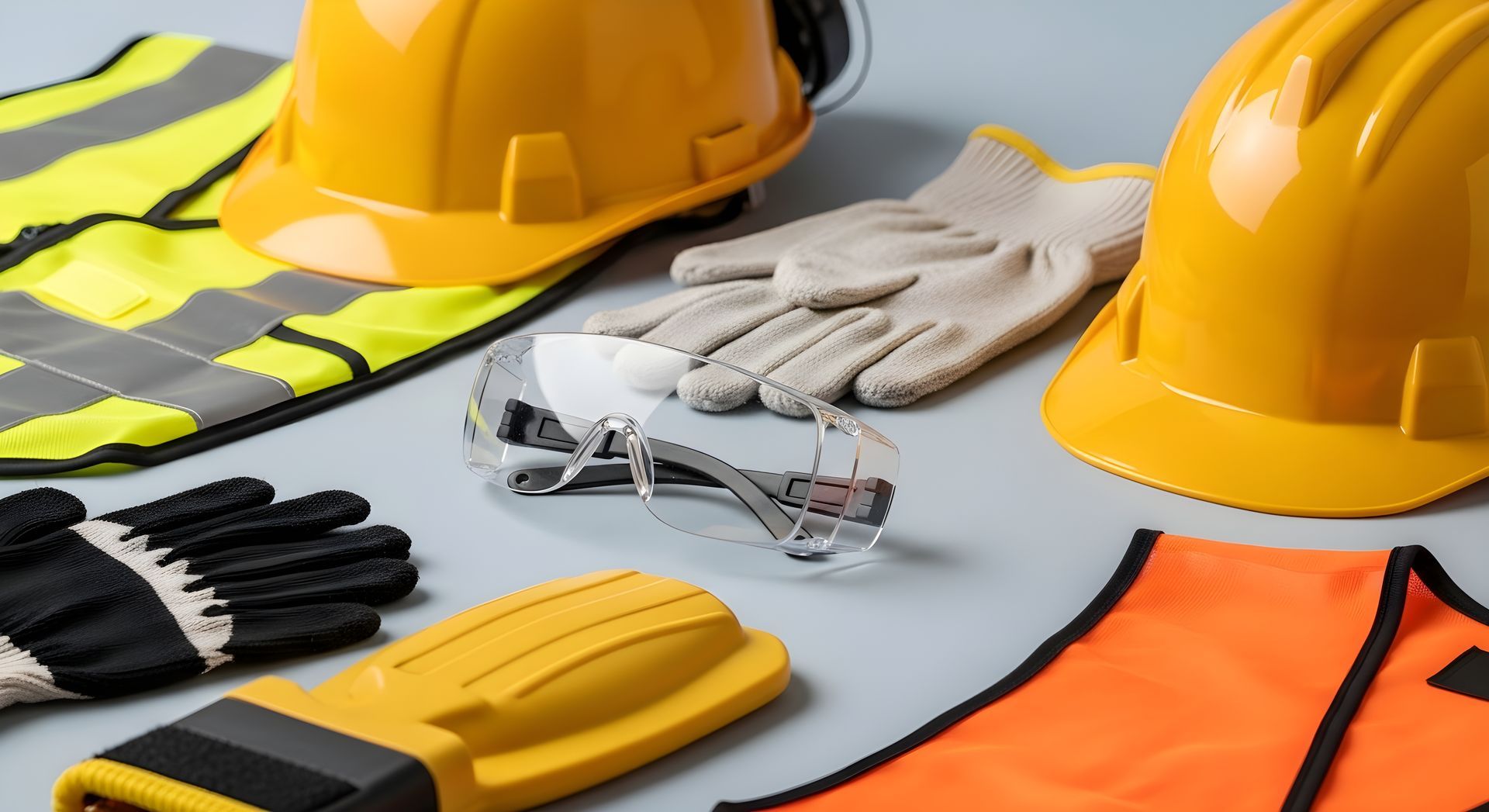
When it comes to health and safety, PPE (Personal Protective Equipment) is one of the most visible - and most regulated - compliance factors on any worksite. But for safety consultants supporting clients across construction, logistics, healthcare, or manufacturing, the challenge isn’t just ensuring the right gear is provided. It’s about proving that it was issued, assigned, and acknowledged - clearly and compliantly. That’s where Hasmatic steps in. Forget bloated asset management platforms or expensive inventory software. If you're a consultancy focused on helping clients meet health and safety standards in a lean, efficient way, Hasmatic's manual PPE assignment feature offers the perfect balance of simplicity and accountability. 🧰 Why PPE Tracking Still Matters - Even Without Full Lifecycle Tools Let’s be clear - Hasmatic isn’t a full-blown asset management system. You won’t be tracking barcode scans or monitoring PPE depreciation. What you will get is a practical way to: Log PPE issued to staff or subcontractors Assign items per user or project Maintain a simple digital trail of who received what, and when That’s more than enough to tick key boxes for site audits, HSE inspections, or internal reporting. And because it’s built for consultants managing multiple clients, there’s no added complexity. 🧾 A PPE Log That Works for Site Managers, Subcontractors, and Auditors Think about this scenario: you're supporting a client on a temporary project. Workers come and go. You need to show that: PPE was issued at the right time It was the correct type for the job The individual acknowledged receipt Hasmatic lets you manually assign PPE and store those assignments under the relevant user. It takes minutes to update and creates a digital record that’s accessible to admins and view-only users (like site managers or external auditors). 💡 Bonus tip: Pair PPE logs with Safety Document Acknowledgement features in Hasmatic to create a fully documented PPE issuance flow - without any paper trail. 🔍 Consultants Love This Because: You’re not locked into a rigid system - assign gear as needed, when needed. You keep proof of compliance without needing complex integrations. You maintain client trust by showing transparent, accessible records. You reduce risk - a logged PPE trail can protect against legal claims if injuries occur. 📦 What’s Included in Hasmatic: For PPE tracking and basic asset control, Hasmatic gives consultants access to: Manual PPE Assignment to employees or contractors Asset inspection form creation (for any safety equipment) Centralised document storage for training records, policies, and signed acknowledgements Audit trail logs for changes or assignments Want to see all features tailored for health & safety consultancies? Explore Hasmatic 🔄 Pair It with Your Consultancy Workflow Use PPE tracking as part of your core service to clients: During new project onboarding When reviewing site readiness As part of safety audits or annual compliance checks For demonstrating ISO 45001 or HSE compliance And because Hasmatic includes unlimited free viewers , you can grant clients and stakeholders access to view PPE assignments - without ever charging extra or juggling file versions. 🎯 Final Thought Hasmatic doesn’t pretend to do everything - and that’s exactly why safety consultancies love it. If you're supporting growing SMEs or short-term projects, you don’t need complex PPE inventory systems. You just need a reliable way to track, assign, and prove safety gear was issued. Simple. Digital. Compliant. That’s Hasmatic. #PPECompliance #HealthAndSafetyConsultant #Hasmatic #SafetySoftwareUK #EHSSoftware #PPETracking #ComplianceMadeSimple

In the world of health and safety consultancy, there’s one phrase that’s become a standard part of the job: “Have you delivered your toolbox talks this week?” These short, focused safety briefings are a cornerstone of workplace risk prevention - but managing them across multiple client sites, with varied teams and shifting priorities, can be a logistical nightmare. That’s where Hasmatic steps in. Designed specifically for health and safety consultants who support small to mid-sized businesses, Hasmatic brings structure and simplicity to toolbox talk delivery - without the overhead or complexity of enterprise systems. 📚 What Are Toolbox Talks and Why Do They Matter? Toolbox talks are informal, short safety meetings held before the start of a work shift or job. Topics vary - from working at heights, manual handling, to weather-related hazards - and their effectiveness relies on two things: Consistency (they’re delivered regularly) Accountability (there’s proof that they happened) Unfortunately, many consultants still rely on paper-based sign-ins , spreadsheets, or disconnected PDFs - which means missed reviews, poor version control, and limited audit value. ✅ How Hasmatic Makes Toolbox Talks More Manageable Hasmatic isn’t a bloated software suite. It’s a focused, cloud-based platform that provides everything a consultant needs to digitally deliver, track, and archive toolbox talks for multiple clients. Here’s how: 1. Pre-Built Toolbox Talk Library Access a curated library of toolbox talks and H&S policies - many of which are aligned with CQMS and UK regulatory requirements. You can use them as-is or upload your own content tailored to client needs. 2. Viewer Access for All Site Staff Client staff don’t need paid accounts to access the content. With unlimited free viewers, your toolbox talks can reach everyone - from site workers to office-based staff - without friction or added cost. 3. Digital Acknowledgements Once a toolbox talk is issued, workers can review the material and digitally sign it - providing timestamped proof of engagement. This replaces manual signatures and lets consultants generate clean audit-ready reports in a click. 4. Reminder & Review Tools Set reminders for clients to revisit certain topics monthly, seasonally, or after near-miss incidents. These soft nudges help ensure that safety communication isn’t a one-time effort but part of an ongoing culture of awareness. 5. Exportable Reports Hasmatic allows you to download CSV or PDF reports of toolbox talk engagement. This is perfect for: Client-facing reports during monthly reviews Internal consultancy dashboards to track delivery Evidence for ISO 45001 or NEBOSH audits 💡 Consultant-Led Ideas to Enhance Client Engagement If you’re a safety consultant looking to keep your clients engaged and compliant , here are some creative ways to use Hasmatic’s toolbox features: Monthly Campaigns: Pick a topic of the month (e.g., “Preventing Trips in Autumn”) and assign it across all your client sites with a standard review date. Seasonal Themes: Align toolbox talks with industry trends - like working in extreme heat or preparing for winter slips. After-Action Reinforcement: Following a near-miss report, assign a follow-up toolbox talk and use viewer data to confirm site engagement. Client Leaderboards: Highlight which sites or departments have the highest completion rates and use this in your reporting to encourage internal competition. 🛠️ Why Hasmatic Is Built for Safety Consultants Hasmatic isn’t trying to replace your professional judgment or site expertise. Instead, it gives you a structured digital toolkit to : Deliver consistent safety messages Track who’s seen and acknowledged them Create audit-ready documentation without extra admin work With no digital workflows or smart dashboards , what you get is something even better: a clear, focused safety delivery system that puts you in control. 🧭 Final Thoughts For consultants managing multiple clients across industries - construction, logistics, manufacturing, healthcare - digitising toolbox talks isn’t a luxury anymore. It’s a necessity. With Hasmatic, you can scale your services, increase client satisfaction, and build a safety culture that’s consistent, accountable, and audit-proof. #SafetyConsultantsUK #ToolboxTalksDigital #HSEComplianceSoftware #WorkplaceSafetyUK #ConstructionSafetyUK #EHSConsultingTools #Hasmatic
